Sign in to your EK333 account to continue playing

Secure login is the key step that opens full access to Casino EK333 - deposits in BDT, fast withdrawals through bKash or Nagad, full game history and personal settings. This guide explains where to find the login button, how to sign in on web and in the mobile app, what to do if the password or SMS code does not work, and how to keep your account safe on shared devices in Bangladesh. Follow the steps below and use two factor protection so that only you can manage your balance, bonuses and bets.

Why EK333 login matters for your account

Casino EK333 keeps all money operations, game limits and personal data only inside a protected profile. Without a proper login you cannot deposit BDT, request withdrawals, track betting history or change security settings.

After you sign in once, the system connects the same account to both casino and sportsbook. You use one balance for slots, live tables, crash games and cricket bets, which makes daily play simpler.

If you already have a profile and only need to enter it, use the login button instead of creating a new account. Multi account use is against the rules and may slow down withdrawals.

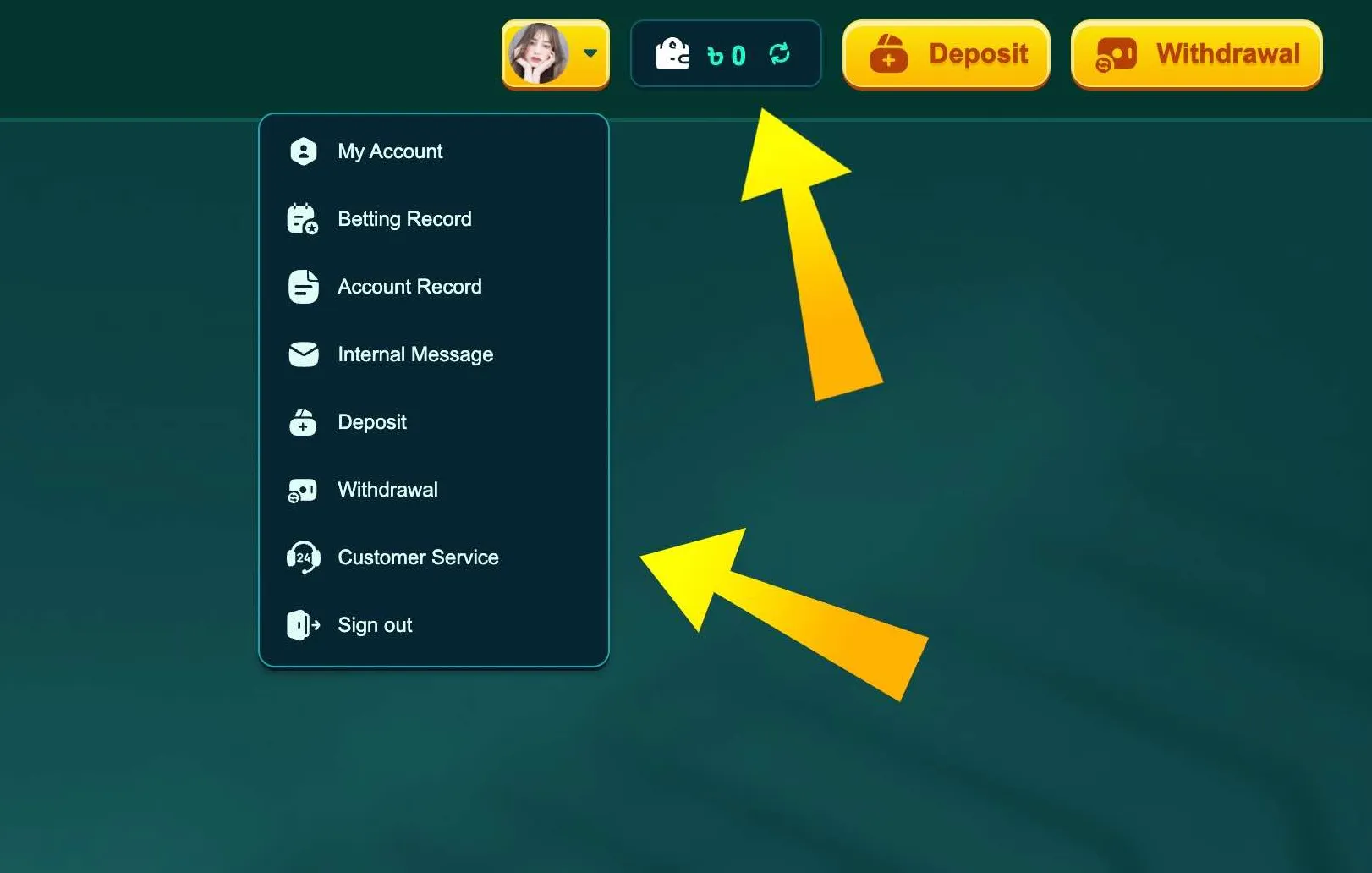
Once you log in, you will see the Personal Center menu with sections like My Account, Betting Record, Account Record, Deposit, Withdrawal and Customer Service. From here you manage everything that is tied to your EK333 ID.

Open EK333 login page

Where to find the EK333 login button

  1. Login button in EK333 header

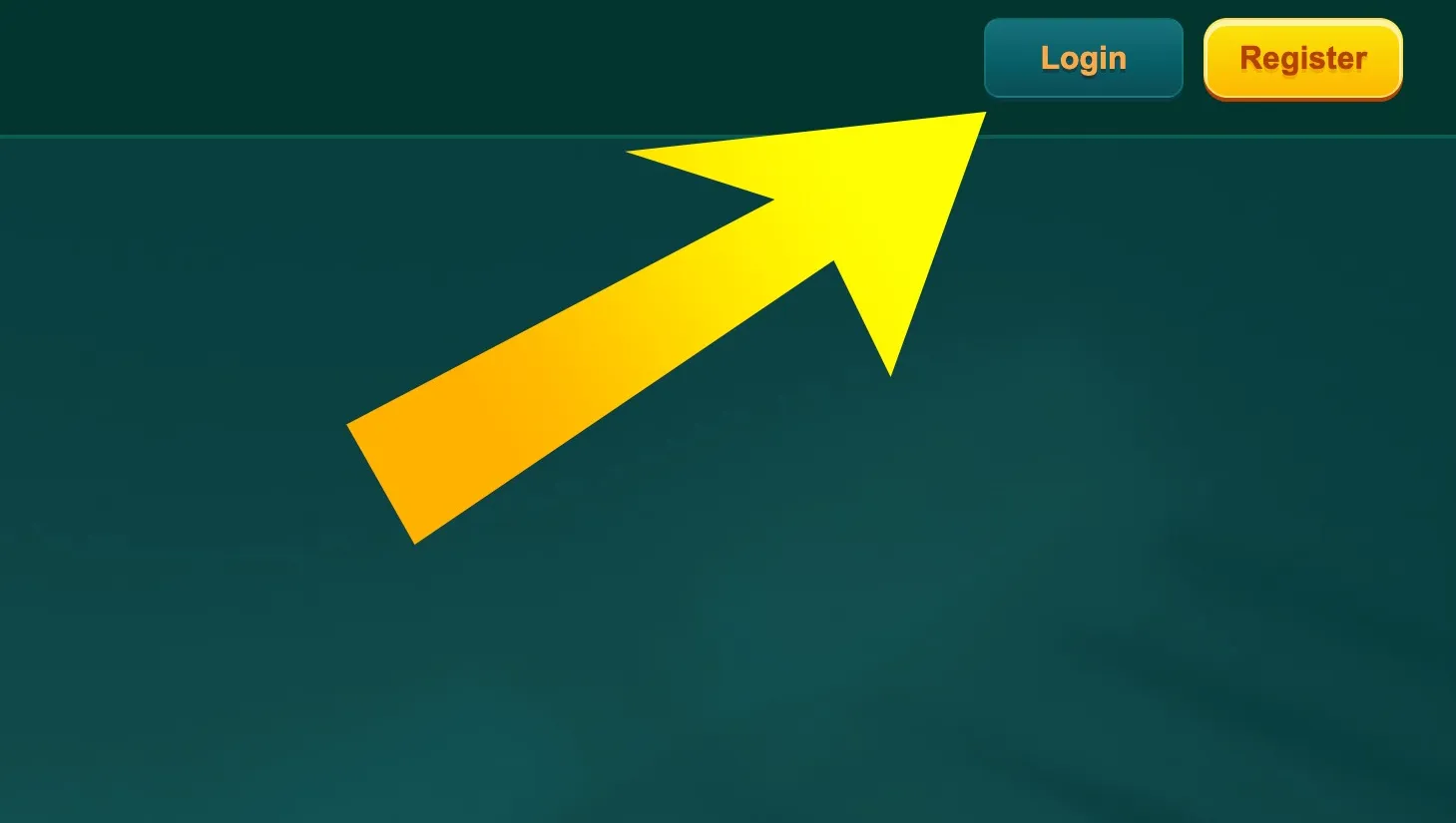
    On desktop and mobile browser the Login button is in the top right corner of the EK333 homepage. Tap it to open the sign in form.

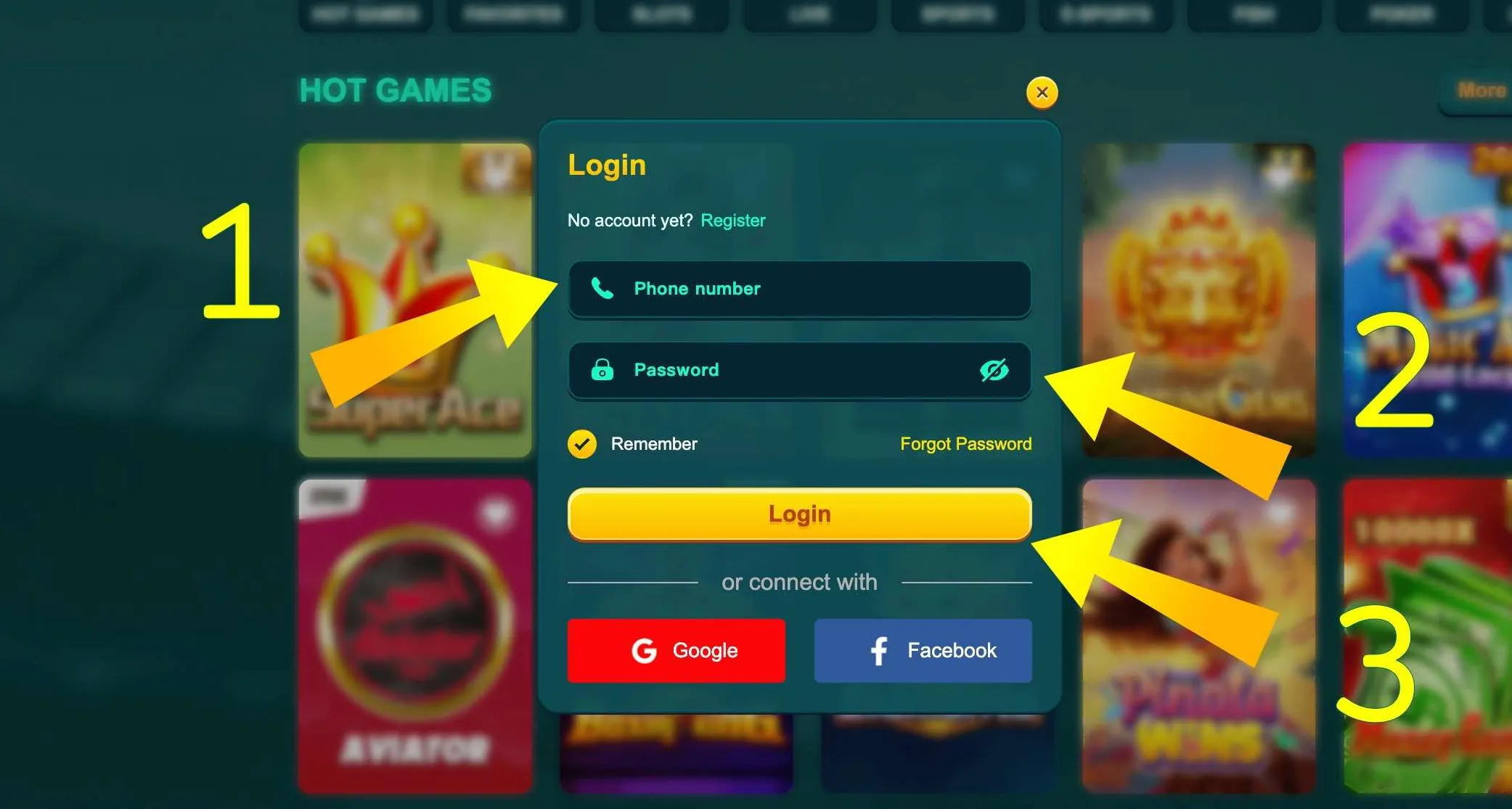
  2. EK333 login form fields

    The login form shows fields for phone number and password, a Remember option, and quick login buttons via Google or Facebook if you prefer social sign in.

Ways to log in to EK333

EK333 offers several login methods so that players in Bangladesh can choose what is more convenient on their device.

Login with mobile number

The main method is by Bangladeshi mobile number used during registration. You enter it once, and the system connects it to all payments through bKash, Nagad or Rocket.

Format rules:

  • Use the same 11 digit number that you used when signing up
  • Do not add country code or plus sign in the login field
  • Make sure the SIM is active in case you need SMS codes

If the number is changed in real life, update it in My Account after logging in, then confirm through OTP.

Email or username login

Some older profiles were created with email or a custom username. In that case the login field can accept that identifier instead of phone. If you are not sure which one you used, open the registration confirmation email and check the details.

The password rules are the same for all options: 6 to 12 characters, no special symbols, case sensitive.

Social login via Google or Facebook

On the web form you will see Google and Facebook icons. If your EK333 account was linked to one of these services during registration, you can log in in one tap.

Social login is helpful on shared family devices, because you do not have to type the password every time. However, make sure your Google or Facebook profile is also protected with a strong password and 2 step verification.

Step by step EK333 login on website

Below is a simple sequence for entering your account through any browser, including Chrome or Firefox on PC and Android.

  1. Open the official EK333 domain or a mirror from support.
  2. Check that the address bar shows https and the padlock icon.
  3. Click the Login button in the top right corner.
  4. In the first field enter your 11 digit phone number, email or username.
  5. In the second field type your password, using the eye icon to check for typos.
  6. Optionally tick Remember to keep the session on this device.
  7. Press Login and wait a few seconds.

If the data is correct, the page will reload and your nickname with balance in BDT will appear instead of the Login button. The Personal Center icon will also be active.

When you finish the session on a public computer, always use Sign out in the profile menu so that the browser does not keep your active account.

Already registered at Casino EK333 - use the login button and continue playing with your existing BDT balance.

Login through the EK333 mobile app

Most Bangladeshi players prefer the EK333 Android app or iOS PWA because it keeps you signed in and works even when the main website is slow.

Entering your account in the app

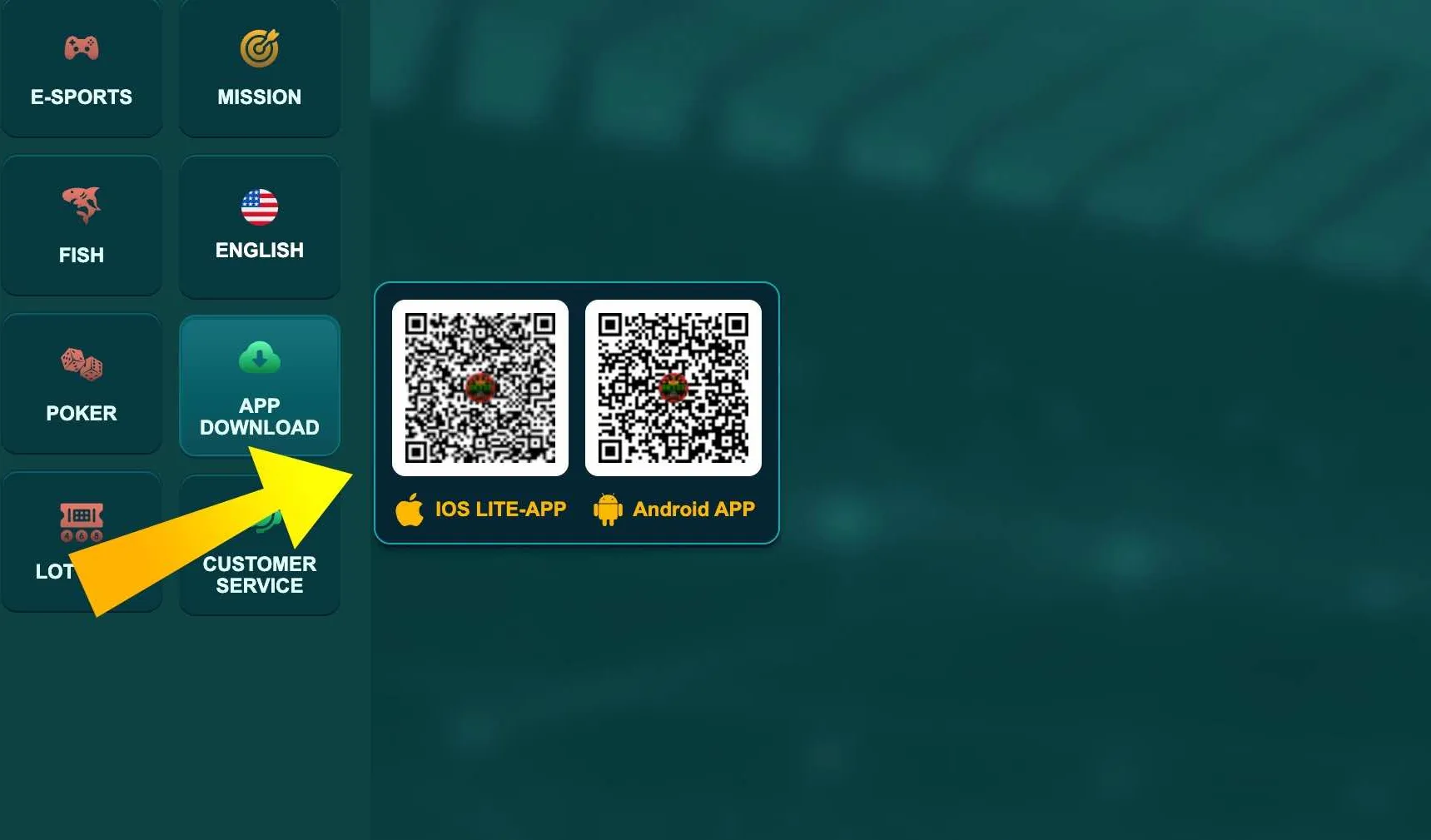
After you install the client from the official App Download section and open it, you will see the same fields as on the website.

  • Tap Login at the bottom of the home screen or in the top right corner
  • Enter phone number and password
  • Choose Remember me if you trust this phone
  • Confirm with the Login button

The app can store your session even if you close it completely. Next time it will open directly on the lobby, which is convenient for live betting and quick slot sessions.

If you use a screen lock, combine it with the app login. Even if somebody takes your phone, they will not open the app without PIN, pattern or fingerprint.

Switching between devices

You can log in to EK333 on several devices, for example a PC at home and a smartphone on the go. The system allows it, but may request SMS or email verification if a new device or IP address appears.

If you suspect that somebody else entered your profile, change the password and enable two factor protection in account settings.

App download section in EK333

Use the App Download menu to get the latest EK333 Android APK or iOS link before logging in.

Structure of the EK333 login form

The login form is compact but includes everything needed for secure authorisation.

Typical elements:

  • Identifier field - phone, email or username
  • Password field with visibility toggle
  • Remember checkbox for saving the session
  • Main Login button
  • Links for Register and Forgot password
  • Social login icons for Google and Facebook

The Remember option should be used only on your own phone or personal laptop. On work or cafe computers leave it unchecked, so the system logs out automatically after a period of inactivity.

If you click Register by mistake, just close the form and return to Login. Creating a second account can violate EK333 rules and affect VIP status.

Go to secure login form

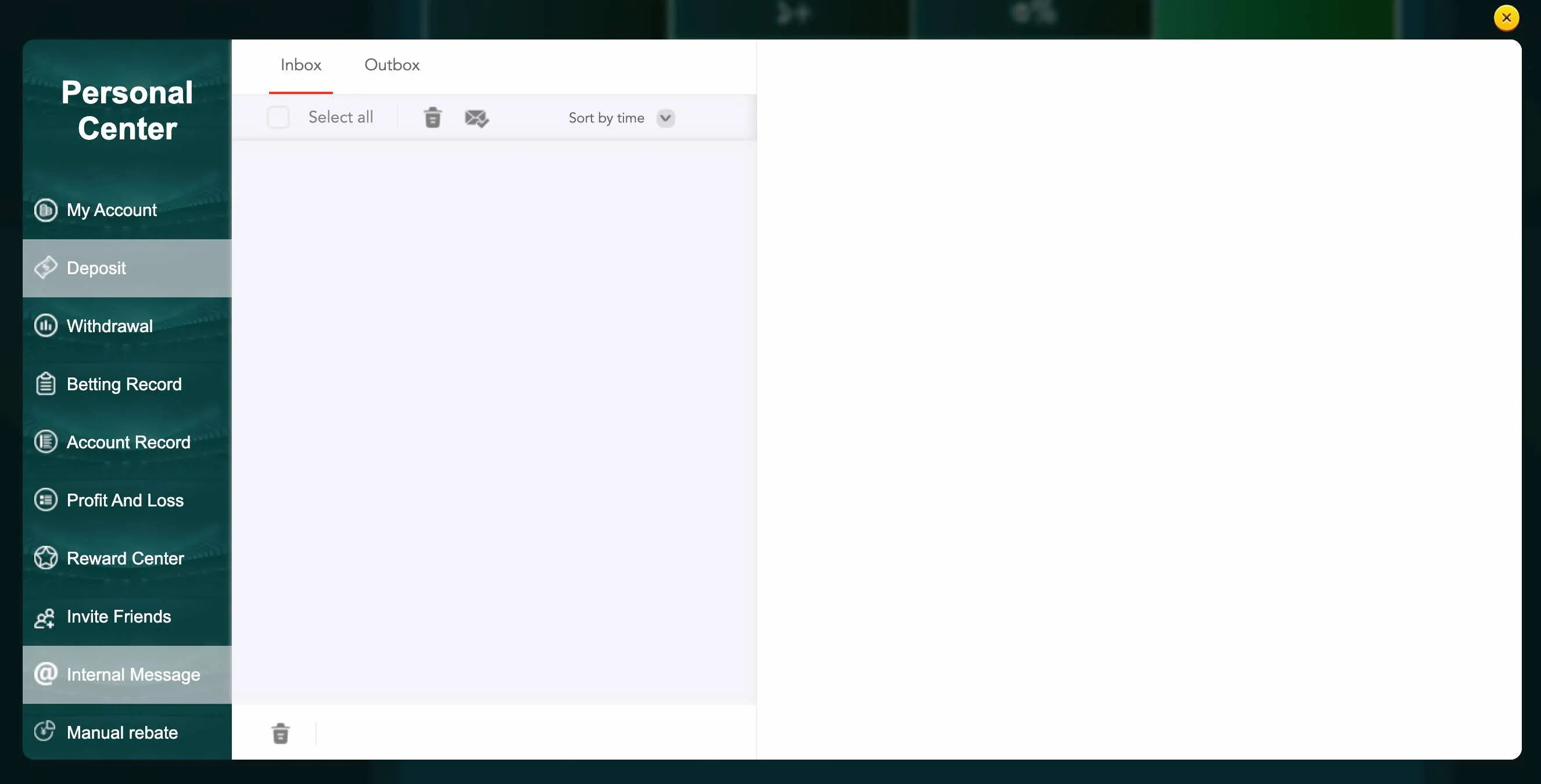
Internal messages section

Typical login errors and quick checks

Players sometimes see messages like 'incorrect password' or 'account does not exist'. In most cases the reason is simple. First, check that Caps Lock is off and the keyboard layout is English. Second, make sure you did not add spaces before or after the phone number. Third, confirm that you use the same number that is linked to deposits through bKash or Nagad. If the problem repeats on Wi Fi, try switching to mobile data. Some providers in Bangladesh cache pages and can cause outdated sessions.

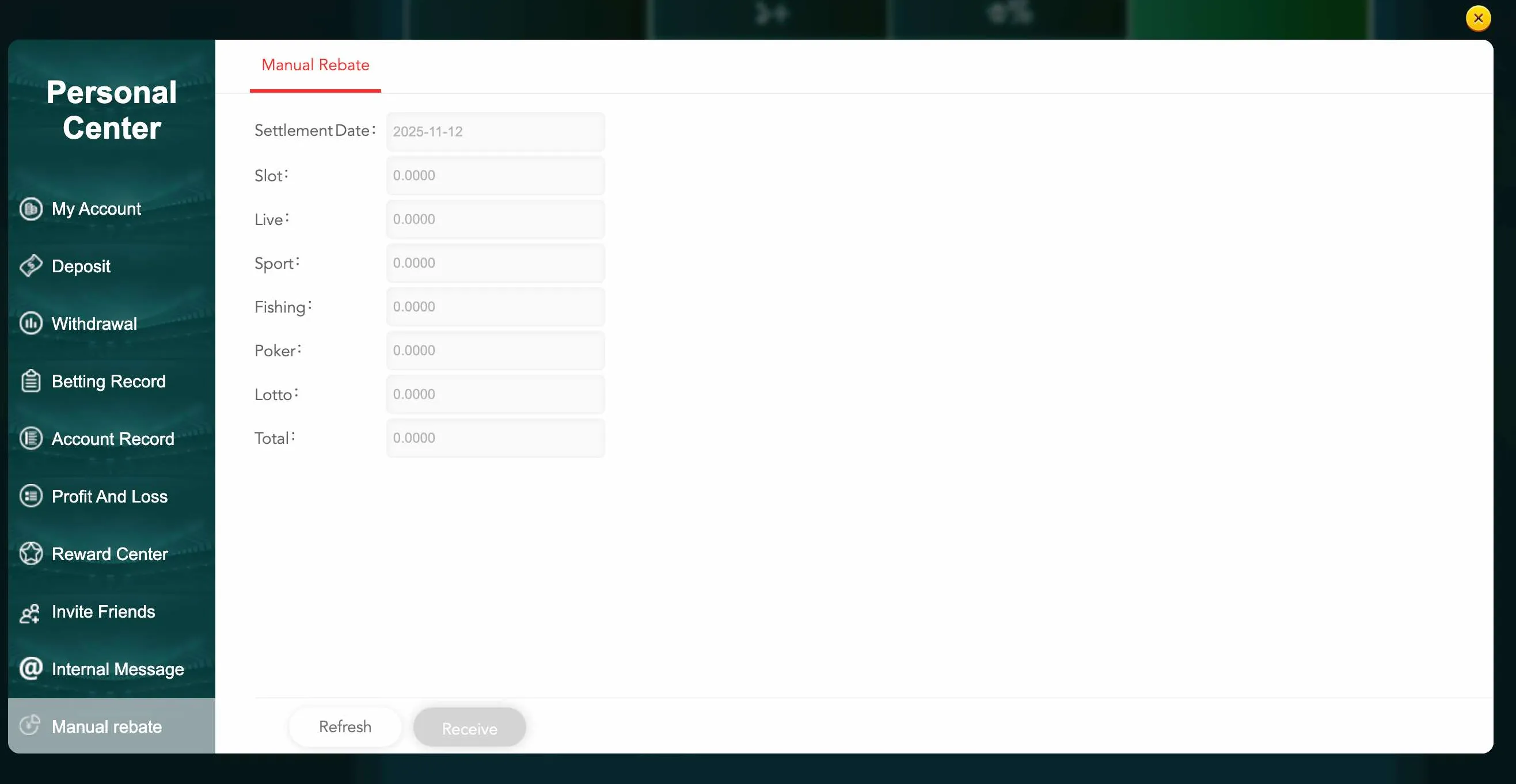
Account rebate table

When EK333 may block login attempts

The security system of EK333 can temporarily limit access if it sees too many wrong passwords in a short time. It can also stop a login request from an unusual country or when VPN changes your IP every minute. In such cases wait 15 to 30 minutes, then try again with a stable connection and correct data. If you receive a notice about frozen account, prepare your national ID copy and contact live chat to unlock it. This protects your BDT balance from fraud.

Password reset and access recovery

If you forget your EK333 password, do not create a new account. Use the recovery link under the login form to restore entry to the existing profile.

Reset through phone or email

Depending on how your account was created, EK333 will offer one of two channels:

  • SMS to the registered phone number with a one time code
  • Email message with a secure reset link

General steps:

  1. Click Forgot password under the Login button.
  2. Enter your phone or email that is attached to the profile.
  3. Confirm the captcha if system asks.
  4. Enter the SMS or email code within the time limit.
  5. Set a new password with 6 to 12 characters, without special symbols.
  6. Log in again with the new data.

Do not pass reset codes to anyone, including people who call and say they are from support. EK333 staff will never ask for the full password or OTP.

Rules for strong passwords

To protect your BDT deposits and bonuses, avoid predictable combinations like 123456 or your birth date. Combine numbers and letters and change the phrase at least once every few months.

Never reuse the same password from social networks or email. If one of those services is hacked, the attacker will try the same data on casino websites.

If you cannot remember your EK333 password, use the official reset link instead of opening a new profile.

Two factor authentication and session control

EK333 supports additional security layers that work together with the basic login. They help prevent unauthorised access even if somebody knows your password.

Two factor authentication

Two factor authentication links your login to a second channel. After you enable it in My Account, the system may send a short code to your phone or email during new device logins.

You enter:

  • Your usual identifier and password
  • The one time code from SMS or email

Only after both steps does the system open your profile. This makes it very hard for anyone else to access your funds.

If codes stop arriving, check network coverage and that your SIM is active. Also confirm that spam filters in email did not move EK333 letters to a junk folder.

Automatic logout and manual exit

For extra safety the platform can log you out after a long period of inactivity. This is normal behaviour, not an error. Simply re enter your credentials.

To exit manually:

  • On web, open the avatar menu and click Sign out
  • In the app, enter Personal Center and choose Sign out at the bottom

Use this method when changing devices or before giving your phone to another person.

EK333 account menu options

After a successful login you can open My Account, betting records, deposits and withdrawals from the profile menu.

Login and access to payments and history

Once you sign in to Casino EK333, you can immediately move to financial and reporting sections. Without login these menus stay hidden for security reasons.

Key areas that open after authorisation:

  • Deposit, where you choose bKash, Nagad, Rocket or bank transfer and follow limits
  • Withdrawal, where you manage your verified wallets and request cash out
  • Betting Record, which shows detailed history for slots, live games and sports
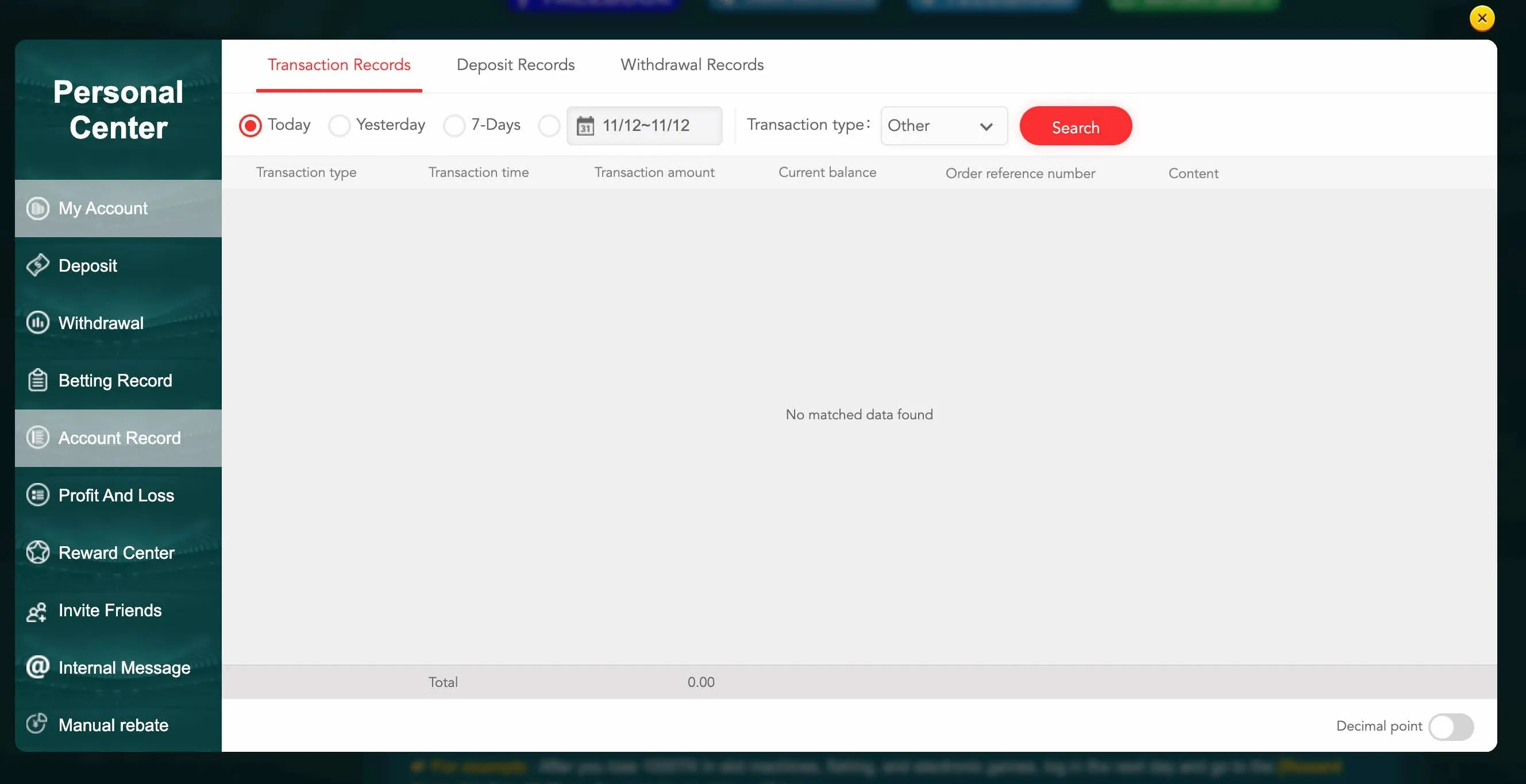
  • Account Record, where you see all transactions in BDT, including bonuses
  • Profit and Loss, a summary of deposits, withdrawals, expenses and income

This structure helps you track how you use your balance and which games or bets bring the best results over time.

Many players in Dhaka or Chattogram use login sessions to check their daily limit before placing more bets. Responsible gaming tools are also available only inside the account.

EK333 account record screen

The Account Record panel shows your full transaction history after you log in.

Payment methods overview after login

To manage money inside EK333 you must be logged in, because payment details are tied to your verified profile. Below is a short overview of main methods popular in Bangladesh.

Deposits and withdrawals in BDT

All operations run in Bangladeshi taka, so you avoid extra conversion loss. Minimum deposit and withdrawal usually start from 100 BDT, which makes the platform accessible to most players.

Main payment channels at EK333

Method and icon Typical use case
bKash Fast deposits and withdrawals for most players, linked to local phone numbers.
Nagad Alternative to bKash with similar limits, often used for cash outs.
Rocket Mobile banking option for users of Dutch Bangla Bank services.
Bank transfer Larger VIP deposits from online banking apps or branches.
MasterCard International card deposits where bank policy allows gaming payments.
PayPal Used by some international players through foreign accounts.

After login you can add or edit wallets in Account Management, then select them during deposit or withdrawal. EK333 verifies that the name on the wallet matches the ID data to prevent misuse.

If a deposit from bKash or Nagad does not appear, first refresh the balance inside the logged in account, then contact support with the transaction screenshot from your mobile wallet.

Login and manage your BDT balance

Security tips for safe EK333 login

Even with strong platform protection, final safety depends on how you handle your own data. Simple habits greatly reduce risks.

Practical recommendations:

  • Use a unique password only for EK333 and change it from time to time
  • Never share account details or OTP codes with friends or strangers
  • Avoid logging in from public Wi Fi without VPN or mobile data backup
  • Always sign out after play on shared devices in internet cafes or hostels
  • Keep your phone locked with PIN or biometric methods
  • Check regularly that login alerts and internal messages look genuine

If you receive a message asking for password or payment outside the official site or app, treat it as a scam attempt and ignore it. EK333 staff will communicate only through internal messages or verified support channels.

When you plan long sessions, use the Remember feature only on a personal device that you can physically control. This balance between comfort and privacy keeps your Casino EK333 profile protected.

After you become comfortable with the login flow, you can explore other sections like the main home page with general information about Casino EK333 or dedicated betting and app guides from the navigation menu.

Ready to continue your session at Casino EK333 - log in now and access your games, payments and personal settings.

EK333 login FAQ

I cannot log in to EK333, what should I check first

Start with simple steps. Confirm that you are on the official EK333 domain with https and a padlock icon. Check that Caps Lock is off and the keyboard layout is English. Make sure you entered the correct 11 digit phone number or email used during registration. If you still see an error, try another network, for example switch from Wi Fi to mobile data, then attempt login again.

How can I reset my EK333 password if I forgot it

On the login screen click the Forgot password link under the main button. Enter your registered phone or email and complete the captcha if requested. EK333 will send an SMS code or email link. Enter the code or follow the link, then set a new password between 6 and 12 characters without special symbols. After that you can log in with the new password as usual.

Why does EK333 ask for a verification code when I log in

This happens when two factor authentication is active or when the system detects a new device or IP address. The platform sends a one time code to your phone or email to confirm that it is really you. Enter the code within the given time. If you did not request a login but still received such a code, change your password immediately and contact support.

Can I stay logged in to EK333 on my phone all the time

Yes, if you select the Remember option and use a secure personal device. The EK333 app keeps your session active, which is convenient for quick access to slots and live betting. However, if you share the phone with others, it is safer to log out after each session so nobody else can reach your balance or payment details.

What should I do if my EK333 account is temporarily locked

A temporary lock can appear after many wrong password attempts or suspicious activity from unusual locations. Wait at least 15 to 30 minutes and try again with correct data. If the message does not disappear, prepare your national ID card and contact live chat or email support to verify your identity and unlock the profile.

Is it safe to log in to EK333 from internet cafes in Bangladesh

It is technically possible but less safe than using your own phone or laptop. If you must use a public PC, never tick Remember, always log out at the end of the session and avoid saving passwords in the browser. Clear browsing data if possible. Prefer mobile login through the official app on your own device whenever you can.

Can I log in to EK333 from more than one device

You can use EK333 on several devices, for example desktop at home and smartphone during travel. The system may ask for SMS or email confirmation when you sign in from a new device or IP. If you lose one device, change your password and inform support so they can help monitor for any unusual activity.

Do I need to log in again to make each deposit or withdrawal

You do not need to log in again for every transaction, but EK333 may ask for your transaction password or a short code before confirming withdrawals or changing payment details. This extra step protects your BDT funds. If the session is too old or you have been inactive for a long time, the system can log you out and you will need to enter credentials again before using the cashier.

Summary

Correct EK333 login is not only about entering your phone and password. It is a complete process that gives you safe access to deposits, withdrawals, game history and personal limits, while keeping your BDT balance away from strangers.

Use official links, strong passwords and two factor codes, avoid public devices when possible and log out after shared sessions. With these simple rules Casino EK333 can remain a convenient and secure place for online games and betting for players across Bangladesh.

If you plan to switch devices or explore other services, you can later move from this login guide to pages about the app, casino section or sports betting through the main navigation, for example the betting section of Casino EK333.